GA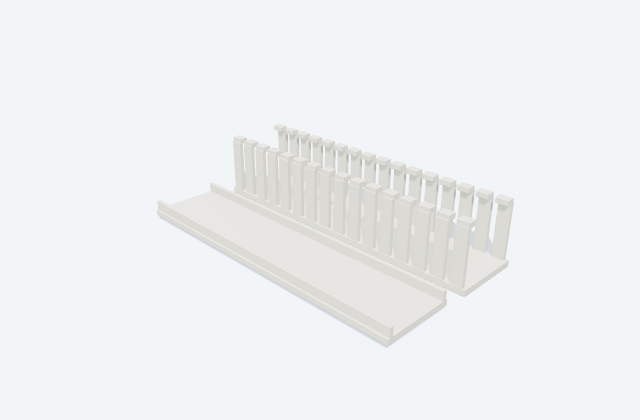
Slotted wiring duct
A slotted duct routes internal panel wiring along a controlled path.
General arrangement objects
Slotted wire-duct routes for control-panel wiring layouts.
In plain English
A wiring mark tells you how to follow a circuit on a drawing. It may identify a conductor, a joint, a cable group, a boundary or a continuation onto another sheet.
Two lines crossing do not always mean they connect. Junction marks, wire labels and source/destination references explain which paths really belong together.
The symbol explains the function and connections; it is not a picture of the physical device. Use the labels and the notes for this particular reference to identify its version. A layout drawing instead needs the selected equipment's real dimensions, mounting details and clearances.
Slotted wire-duct routes for control-panel wiring layouts. An outside duct width is not usable cable capacity; fill and conductor bending depend on the selected size and wiring.
Read the source: AutomationDirect slotted wiring duct: official source
An original 3D illustration of this equipment type. Rotate and zoom to explore its shape. It does not represent an exact manufacturer model or dimensional layout.

Drag to rotate · Scroll or pinch to zoom · Original educational visualisation. Relative proportions; use the selected manufacturer drawing for dimensions.
Draw the duct body and the removable cover separately from the usable wiring channel. Allow access where conductors leave the slots for terminals.
Use the linked manufacturer drawing or project mechanical files for dimensions and the exact selected revision. This original educational illustration is unitless and not to scale.
An outside duct width is not usable cable capacity; fill and conductor bending depend on the selected size and wiring.
These public references support the explanation and provide further detail. Their graphics and downloadable files remain with their publishers.
Official identity and available drawing scope; coordination guidance is independently written.
A slotted duct routes internal panel wiring along a controlled path.
A mounting rail provides a mechanical support system for compatible components.
Elora Grid helps electrical teams work with drawings, specifications and equipment information. Explore the drafting workflow or join the early-access waitlist.