GA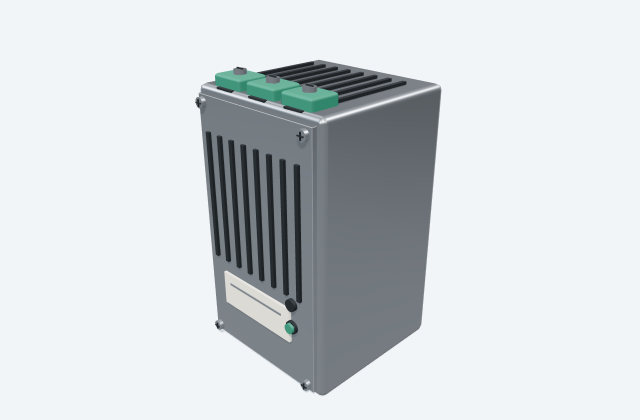
DC redundancy module
A redundancy module combines specified supply paths for an auxiliary DC system.
General arrangement objects
In plain English
A power-supply redundancy module combines suitable supply paths so the connected load can remain powered if one source is lost, within the designed arrangement.
In a substation control panel, it can connect two independent DC supplies to a common supported load.
Use the selected manufacturer's drawings to check the equipment's size, mounting points and cable connections. The layout helps you plan where it fits and how it can be reached for maintenance. An illustrative 3D preview does not establish product dimensions or required clearances.
Read the source: Altech PS-RDN power-supply redundancy accessory: official mechanical resource
An original 3D illustration of this equipment type. Rotate and zoom to explore its shape. It does not represent an exact manufacturer model or dimensional layout.

Drag to rotate · Scroll or pinch to zoom · Original educational visualisation. Relative proportions; use the selected manufacturer drawing for dimensions.
The manufacturer index maps drawing group PS_RDN to PS-RDN. Coordinate the accessory between the independent supply inputs and the common output wiring; verify the actual electrical topology separately.
Use the linked manufacturer mechanical original for dimensions and exact revision. This illustration is independently drawn, unitless and not to scale.
The accessory outline does not establish the allowable redundancy topology, current rating or protective-device selection.
These public references support the explanation and provide further detail. Their graphics and downloadable files remain with their publishers.
Official drawing identity and configuration scope. Coordination notes and illustration are original educational material.
A redundancy module combines specified supply paths for an auxiliary DC system.
A DIN-rail power supply converts an input supply into a specified DC auxiliary supply.
Elora Grid helps electrical teams work with drawings, specifications and equipment information. Explore the drafting workflow or join the early-access waitlist.