GA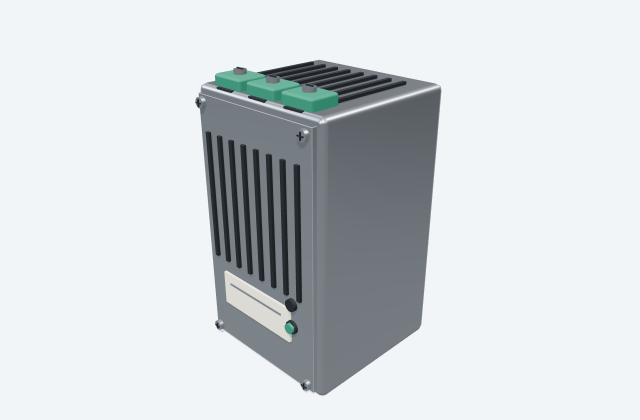
DIN-rail AC/DC power supply
A DIN-rail power supply converts an input supply into a specified DC auxiliary supply.
General arrangement objects
DIN-rail redundancy-module reference for coordinating multiple DC supply paths.
In plain English
Place the module where supply inputs and the combined load output can be identified and maintained. Draw the supply connections in the schematic, not as assumed links in the general arrangement.
Use altech psc-rm20 redundancy module to identify the role shown at this point in the drawing. Reserve access to all power terminals and keep each incoming supply labelled.
A redundancy module is not a battery backup module and does not by itself guarantee uninterrupted power. Read the symbol, label and connected lines together. The reference illustration explains a concept; the selected equipment's documents supply actual terminal details, dimensions and ratings.
DIN-rail redundancy-module reference for coordinating multiple DC supply paths. A redundancy module is not a battery backup module and does not by itself guarantee uninterrupted power.
Read the source: Altech PSC-RM20 redundancy module official drawing source
An original 3D illustration of this equipment type. Rotate and zoom to explore its shape. It does not represent an exact manufacturer model or dimensional layout.

Drag to rotate · Scroll or pinch to zoom · Original educational visualisation. Relative proportions; use the selected manufacturer drawing for dimensions.
Place the module where supply inputs and the combined load output can be identified and maintained. Draw the supply connections in the schematic, not as assumed links in the GA.
The downloadable GA illustration is independently authored conceptual geometry, with no scale or manufacturer dimensions. Use the official CAD source for the exact layout.
Altech originals remain at the manufacturer source because their drawing notices restrict reproduction. Product lifecycle and availability have not been established.
A redundancy module is not a battery backup module and does not by itself guarantee uninterrupted power.
These public references support the explanation and provide further detail. Their graphics and downloadable files remain with their publishers.
Manufacturer identity and available drawing route; exact file identity is recorded in the linked CAD entry.
Elora Grid helps electrical teams work with drawings, specifications and equipment information. Explore the drafting workflow or join the early-access waitlist.