GA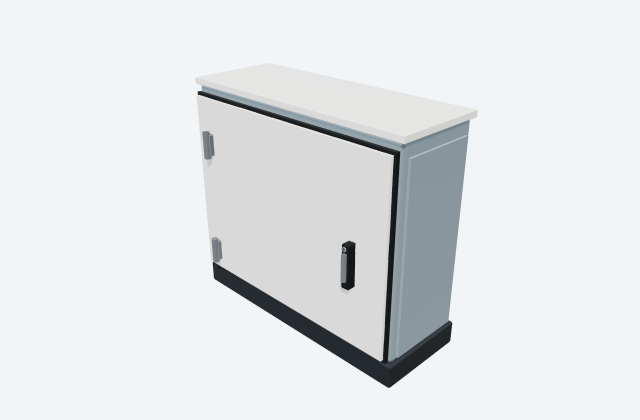
Wall-mounted junction enclosure
A junction enclosure houses the specified wiring connections at a field location.
General arrangement objects
In plain English
ENYSTAR_Tuergriff is the drawing identifier for enclosure installation accessory in Hensel's ENYSTAR enclosure and distribution-system STEP collection. An enclosure installation accessory helps mount, close or organise the selected enclosure assembly. The component drawing does not describe a complete enclosure or certify an assembled installation.
For example, in a microgrid installation with a control-cabinet installation where an accessory joins the enclosure to its support, use the ENYSTAR_Tuergriff reference to coordinate accessory fixings, enclosure interface and installation access. Show the neighbouring equipment and the connection route so the installer can understand the intended arrangement.
Use the reviewed native drawing identified as ENYSTAR_Zubehör/ENYSTAR_Tuergriff.stp for the exact physical details. Locate the named file in its original manufacturer archive. Manufacturer drawing previews are shown only when an exact approved source is available. Any illustrative 3D view is a separate concept and is not to scale; use the selected manufacturer documents for dimensions, ratings and installation details.
Read the source: Hensel ENYSTAR enclosure and distribution-system STEP official CAD source
An original 3D illustration of this equipment type. Rotate and zoom to explore its shape. It does not represent an exact manufacturer model or dimensional layout.

Drag to rotate · Scroll or pinch to zoom · Original educational visualisation. Relative proportions; use the selected manufacturer drawing for dimensions.
ENYSTAR_Tuergriff is the drawing identifier for enclosure installation accessory in Hensel's ENYSTAR enclosure and distribution-system STEP collection. An enclosure installation accessory helps mount, close or organise the selected enclosure assembly. The component drawing does not describe a complete enclosure or certify an assembled installation.
For example, in a control-cabinet installation where an accessory joins the enclosure to its support, use the ENYSTAR_Tuergriff reference to coordinate accessory fixings, enclosure interface and installation access. Show the neighbouring equipment and the connection route so the installer can understand the intended arrangement.
Use the reviewed native drawing identified as ENYSTAR_Zubehör/ENYSTAR_Tuergriff.stp for the exact physical details. Locate the named file in its original manufacturer archive. Manufacturer drawing previews are shown only when an exact approved source is available. Any illustrative 3D view is a separate concept and is not to scale; use the selected manufacturer documents for dimensions, ratings and installation details.
This reference concerns the named ENYSTAR_Tuergriff drawing and its enclosure installation accessory role. A drawing in the same collection is not automatic evidence of compatible terminals, mounts or electrical performance.
These public references support the explanation and provide further detail. Their graphics and downloadable files remain with their publishers.
Official source collection and exact native drawing identity, with the equipment role checked against native content or the narrowly defined source family.
Elora Grid helps electrical teams work with drawings, specifications and equipment information. Explore the drafting workflow or join the early-access waitlist.