HSW1S93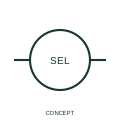
Two-network voltage measurement selector
This representation distinguishes voltage selection between two three-phase networks.
IEC
IEEE-library form of two-network voltage measurement selector: this representation distinguishes voltage selection between two three-phase networks.
In plain English
This reference locates two-network voltage measurement selector in Autodesk's IEEE-oriented miscellaneous switches family. This representation distinguishes voltage selection between two three-phase networks. The measurement is selected from more than one network or bus system. Both source identities must remain visible so that a reading is not attributed to the wrong supply. The public library uses HSW1S93 for its horizontal representation; this is a vendor block name, not an IEEE standards symbol number.
Read the operating mechanism and the contact reference state together. Cross-reference every associated contact to the same device and show which movement, signal or reset changes its condition; the symbol alone does not establish the complete switching sequence.
Tag the two measurement sources and provide a position table with each voltage pair. This selector does not create a load-supply transfer arrangement between the networks. Identify both sources and each selectable measurement connection. Measurement selection between networks is not an automatic source-transfer power switch. The linked functional counterpart explains the same operating role in its own drawing context; agreement of every detailed convention mark is not asserted.
IEEE-library form of two-network voltage measurement selector: this representation distinguishes voltage selection between two three-phase networks. Measurement selection between networks is not an automatic source-transfer power switch.
Read the source: Autodesk IEEE Symbol Preview — Miscellaneous Switches
Autodesk IEEE Symbol Preview: Miscellaneous Switches, block HSW1S93. Matching functional counterpart linked separately. Independently drawn educational geometry; not a certified IEEE glyph or database identifier.
Shown as an independently authored educational illustration. Use the cited publication and drawing legend to verify the required drafting form.
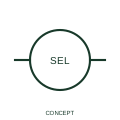
This reference locates two-network voltage measurement selector in Autodesk's IEEE-oriented miscellaneous switches family. This representation distinguishes voltage selection between two three-phase networks. The measurement is selected from more than one network or bus system. Both source identities must remain visible so that a reading is not attributed to the wrong supply. The public library uses HSW1S93 for its horizontal representation; this is a vendor block name, not an IEEE standards symbol number.
Read the operating mechanism and the contact reference state together. Cross-reference every associated contact to the same device and show which movement, signal or reset changes its condition; the symbol alone does not establish the complete switching sequence.
Tag the two measurement sources and provide a position table with each voltage pair. This selector does not create a load-supply transfer arrangement between the networks. Identify both sources and each selectable measurement connection. Measurement selection between networks is not an automatic source-transfer power switch. The linked functional counterpart explains the same operating role in its own drawing context; agreement of every detailed convention mark is not asserted.
Measurement selection between networks is not an automatic source-transfer power switch.
These public references support the explanation and provide further detail. Their graphics and downloadable files remain with their publishers.
Public IEEE-oriented Miscellaneous Switches table explicitly lists HSW1S93 as 3 Voltage, 2-Network Phase-to-Phase Switch. This supports the vendor convention context, not reproduction of the publisher graphic.
This illustration was authored independently by Elora Grid to explain the concept. It is not reproduced from a customer drawing, an official standard graphic or a manufacturer CAD file. Its correspondence to an exact IEC or IEEE symbol identifier has not been certified.
SVG and DXF downloads contain this original artwork. DXF uses unscaled drawing units; a GA envelope supplies no product dimensions, clearances or fabrication information. Original artwork is available under CC BY 4.0. Third-party references retain their own terms.
This representation distinguishes voltage selection between two three-phase networks.
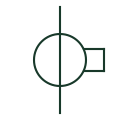
A current-measurement transformer used with metering and protection equipment.
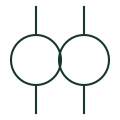
A transformer providing a voltage signal for metering or protection.
Elora Grid helps electrical teams work with drawings, specifications and equipment information. Explore the drafting workflow or join the early-access waitlist.