HCN1RSGL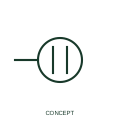
Single power receptacle
This form identifies a single power receptacle connection in the publisher's installation family.
IEC
Installation plan mark for a socket outlet that includes a protective earth contact for Class I appliances.
In plain English
On an installation plan this mark places a socket outlet whose contact set includes a protective earth pin or earthing clip. The basic half-circle outlet form is completed by a straight bar across the top of the curve, which tells the reader that the outlet connects the protective conductor of the final circuit to the plug.
Most general-purpose outlets in Australian, British and European buildings are earthed, so many project legends use this form as the default outlet. Where a legend shows both earthed and unearthed outlets, the bar is the only visual difference and should be checked carefully at shaver points, double-insulated equipment locations and extra-low-voltage outlets.
The mark does not state the plug pattern, current rating, mounting height or circuit number. Those come from the legend, outlet schedule and circuit labels written beside the symbol.
Installation plan mark for a socket outlet that includes a protective earth contact for Class I appliances. A plain socket-outlet mark shows an outlet position only; the earth bar adds the protective contact. The protective earth terminal symbol itself is a schematic conductor mark, not an outlet.
Read the source: IEC graphical symbols for diagrams · Autodesk IEC-60617 preview: Single and duplex power-receptacle forms · Electrical installation design methodology and references
IEC 60617 installation-plan style (architectural and topographical installation symbols); independently drawn, not certified IEC geometry or a database identifier.
Shown as an independently authored educational illustration. Use the cited publication and drawing legend to verify the required drafting form.

On an installation plan this mark places a socket outlet whose contact set includes a protective earth pin or earthing clip. The basic half-circle outlet form is completed by a straight bar across the top of the curve, which tells the reader that the outlet connects the protective conductor of the final circuit to the plug.
Most general-purpose outlets in Australian, British and European buildings are earthed, so many project legends use this form as the default outlet. Where a legend shows both earthed and unearthed outlets, the bar is the only visual difference and should be checked carefully at shaver points, double-insulated equipment locations and extra-low-voltage outlets.
The mark does not state the plug pattern, current rating, mounting height or circuit number. Those come from the legend, outlet schedule and circuit labels written beside the symbol.
A plain socket-outlet mark shows an outlet position only; the earth bar adds the protective contact. The protective earth terminal symbol itself is a schematic conductor mark, not an outlet.
These public references support the explanation and provide further detail. Their graphics and downloadable files remain with their publishers.
IEC committee context for graphical symbols used in diagrams and installation documents; not a source of reproduced artwork.
Public receptacle family in an IEC-oriented CAD library, useful for comparing schematic receptacle forms with plan marks.
Installation design methodology context: circuits, outlets and final distribution are planned before symbols are placed.
This illustration was authored independently by Elora Grid to explain the concept. It is not reproduced from a customer drawing, an official standard graphic or a manufacturer CAD file. Its correspondence to an exact IEC or IEEE symbol identifier has not been certified.
SVG and DXF downloads contain this original artwork. DXF uses unscaled drawing units; a GA envelope supplies no product dimensions, clearances or fabrication information. Original artwork is available under CC BY 4.0. Third-party references retain their own terms.
This form identifies a single power receptacle connection in the publisher's installation family.
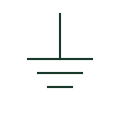
An identified connection serving the protective earthing function.

Plan mark for a socket outlet with its own integral switch that controls the supply to the plug.
Elora Grid helps electrical teams work with drawings, specifications and equipment information. Explore the drafting workflow or join the early-access waitlist.