GA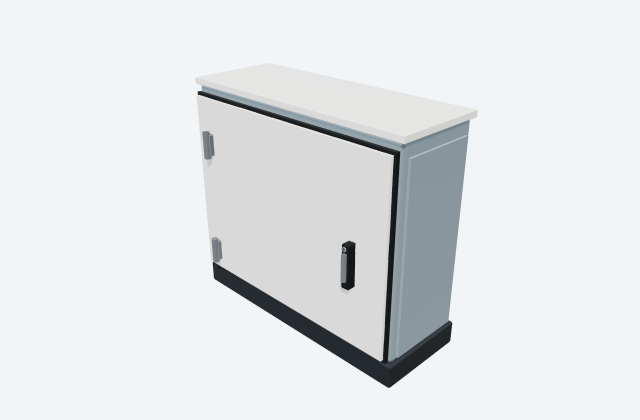
Wall-mounted junction enclosure
A junction enclosure houses the specified wiring connections at a field location.
General arrangement objects
In plain English
An enclosure houses equipment and its connections. Its construction provides the environmental and access protection specified for that enclosure.
In a substation marshalling cabinet, the enclosure houses terminals and interfaces between switchyard cables and control-building wiring.
Use the selected manufacturer's drawings to check the equipment's size, mounting points and cable connections. The layout helps you plan where it fits and how it can be reached for maintenance. An illustrative 3D preview does not establish product dimensions or required clearances.
Read the source: Abtech ZP enclosure: official product information
Manufacturer CAD for Abtech ZP enclosure. Choose a model to inspect its shape and layout.
Drag to rotate · Scroll or pinch to zoom · Simplified display preview. Use the original CAD for dimensions. ZP L Foot.STEP
Drawings from Abtech for the matched product family. Select the exact model and view; use the original file for dimensions and installation details.
Zoom to inspect · Drag to pan · ZP1.dwg. Use the original file for dimensions and design work.
Publisher: Abtech · Manufacturer original ↗
ZP boxes can house terminals or visible instrumentation. For a clear-lid arrangement, keep the instrument viewing area aligned with the lid and accessible to an operator.
Use the linked manufacturer CAD for dimensions and the exact selected configuration. The downloadable illustration here is original educational geometry, unitless and not to scale.
A transparent cover permits viewing but does not make the enclosed controls externally operable.
These public references support the explanation and provide further detail. Their graphics and downloadable files remain with their publishers.
Official equipment identity and configuration scope; linked CAD catalogue identifies available drawings.
A junction enclosure houses the specified wiring connections at a field location.
An HMI presents operating information and control interfaces to the user.
Elora Grid helps electrical teams work with drawings, specifications and equipment information. Explore the drafting workflow or join the early-access waitlist.