V V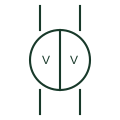
Double voltmeter
Instrument with two voltage movements in one case, showing running and incoming voltage side by side for synchronising.
SLD / Schematic
Instrument with two frequency elements showing running and incoming frequency together on a synchronising panel.
In plain English
A double frequency meter shows the frequency of the running system and the incoming machine on one instrument. During manual synchronising the operator adjusts the incoming governor until the two readings match closely, then uses the synchroscope for final phase alignment.
The meter shows frequency only and gives no information on phase angle. Closing with matched frequencies but a large phase difference can still cause a severe disturbance, so it must always be read with the synchroscope or check-synchronising relay.
Identify running and incoming inputs. Read together with the synchroscope. A double frequency meter compares frequency; a synchroscope shows the phase difference and its rate of change.
Instrument with two frequency elements showing running and incoming frequency together on a synchronising panel. A double frequency meter compares frequency; a synchroscope shows the phase difference and its rate of change.
Read the source: IEC graphical symbols for diagrams · Generator switchgear and paralleling controls
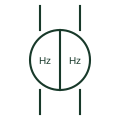
A double frequency meter shows the frequency of the running system and the incoming machine on one instrument. During manual synchronising the operator adjusts the incoming governor until the two readings match closely, then uses the synchroscope for final phase alignment.
The meter shows frequency only and gives no information on phase angle. Closing with matched frequencies but a large phase difference can still cause a severe disturbance, so it must always be read with the synchroscope or check-synchronising relay.
A double frequency meter compares frequency; a synchroscope shows the phase difference and its rate of change.
These public references support the explanation and provide further detail. Their graphics and downloadable files remain with their publishers.
IEC context for graphical symbols used in diagrams; no IEC graphic is reproduced.
Public context for generator paralleling controls where synchronising instruments are used.
This illustration was authored independently by Elora Grid to explain the concept. It is not reproduced from a customer drawing, an official standard graphic or a manufacturer CAD file. Its correspondence to an exact IEC or IEEE symbol identifier has not been certified.
SVG and DXF downloads contain this original artwork. DXF uses unscaled drawing units; a GA envelope supplies no product dimensions, clearances or fabrication information. Original artwork is available under CC BY 4.0. Third-party references retain their own terms.
Instrument with two voltage movements in one case, showing running and incoming voltage side by side for synchronising.
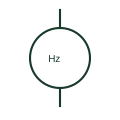
A frequency meter indicates the frequency of its measured input.

Checks documented synchronising conditions before a permitted connection.
Elora Grid helps electrical teams work with drawings, specifications and equipment information. Explore the drafting workflow or join the early-access waitlist.