HAN1B
Audible bell
A bell indication identifies an audible annunciation output in a control circuit.
IEC
Installation plan mark for a momentary push button, such as a door bell push or call button, shown as a small circle with a dot.
In plain English
On installation plans a momentary push button is drawn as a small circle, often with a smaller concentric circle or dot inside, at the wall position. It is used for door bell pushes, assistance call pushes, door release buttons and timer pushes, with a tag clarifying which.
The symbol is usually linked to the device it operates: a bell or chime, an intercom door release or a timer. Reading the link is important because the same push mark serves very different systems on a mixed plan. It does not show whether the push is illuminated, weatherproof or extra-low voltage. Those are scheduled.
Identify which system the push belongs to from its tag or link. Check whether it is outdoors and needs a weatherproof rating. A schematic push button shows contacts; the plan mark shows the position of the accessory only.
Installation plan mark for a momentary push button, such as a door bell push or call button, shown as a small circle with a dot. A schematic push button shows contacts; the plan mark shows the position of the accessory only.
Read the source: IEC graphical symbols for diagrams
IEC 60617 installation-plan style (architectural and topographical installation symbols); independently drawn, not certified IEC geometry or a database identifier.
Shown as an independently authored educational illustration. Use the cited publication and drawing legend to verify the required drafting form.

On installation plans a momentary push button is drawn as a small circle, often with a smaller concentric circle or dot inside, at the wall position. It is used for door bell pushes, assistance call pushes, door release buttons and timer pushes, with a tag clarifying which.
The symbol is usually linked to the device it operates: a bell or chime, an intercom door release or a timer. Reading the link is important because the same push mark serves very different systems on a mixed plan. It does not show whether the push is illuminated, weatherproof or extra-low voltage. Those are scheduled.
A schematic push button shows contacts; the plan mark shows the position of the accessory only.
These public references support the explanation and provide further detail. Their graphics and downloadable files remain with their publishers.
IEC graphical symbol context; independently drawn here.
This illustration was authored independently by Elora Grid to explain the concept. It is not reproduced from a customer drawing, an official standard graphic or a manufacturer CAD file. Its correspondence to an exact IEC or IEEE symbol identifier has not been certified.
SVG and DXF downloads contain this original artwork. DXF uses unscaled drawing units; a GA envelope supplies no product dimensions, clearances or fabrication information. Original artwork is available under CC BY 4.0. Third-party references retain their own terms.
A bell indication identifies an audible annunciation output in a control circuit.
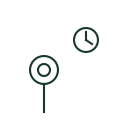
Plan mark for a push switch that turns lights on for a set period, commonly used in stairwells and common corridors.

Plan symbol for an intercom door station with speaker and microphone, used for visitor entry.
Elora Grid helps electrical teams work with drawings, specifications and equipment information. Explore the drafting workflow or join the early-access waitlist.