WDT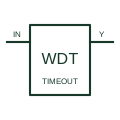
Watchdog timer
Supervises a qualifying activity signal and operates its output when the documented watchdog timing condition is violated.
Schematic
In plain English
A window supervisor checks whether a monitored voltage stays between its specified lower and upper limits.
A circuit can indicate both an undervoltage and an overvoltage condition using the selected supervisor.
Show the monitored voltage together with its lower and upper acceptable limits in the documentation. The window function checks both sides of that range. Label whether the output represents an in-window condition or a fault so the meaning is not reversed by an ambiguous signal name.
A window supervisor checks a lower and an upper boundary. A single undervoltage function only addresses its specified low-voltage condition. The selected device determines how each result is reported.
Read the source: Supply supervision and reset
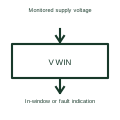
The permitted window and response time must be specified independently of the symbol.
These public references support the explanation and provide further detail. Their graphics and downloadable files remain with their publishers.
Supply supervision and reset: public technical context for the named function. Product and compliance details remain with the publisher.
This illustration was authored independently by Elora Grid to explain the concept. It is not reproduced from a customer drawing, an official standard graphic or a manufacturer CAD file. Its correspondence to an exact IEC or IEEE symbol identifier has not been certified.
SVG and DXF downloads contain this original artwork. DXF uses unscaled drawing units; a GA envelope supplies no product dimensions, clearances or fabrication information. Original artwork is available under CC BY 4.0. Third-party references retain their own terms.
Supervises a qualifying activity signal and operates its output when the documented watchdog timing condition is violated.
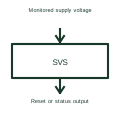
A voltage supervisor checks a supply against specified conditions and produces a status or reset signal.
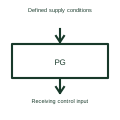
A power-good signal reports whether the source's specified acceptable-supply conditions are satisfied.
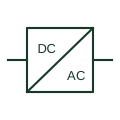
An identified interface converting electrical power between documented circuit forms.
Elora Grid helps electrical teams work with drawings, specifications and equipment information. Explore the drafting workflow or join the early-access waitlist.