
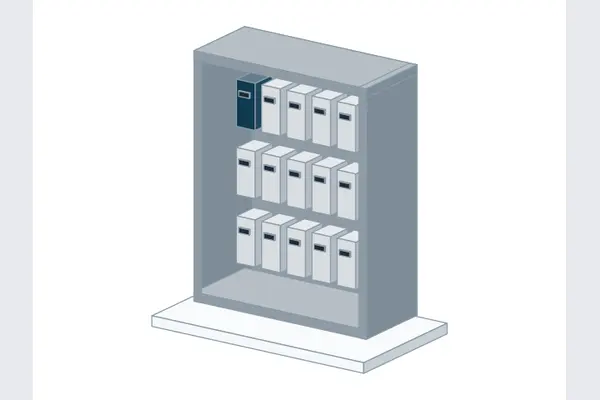
HMS-Anybus-Communicator-EtherIP-to-PROFIBUS-DP-DXF-2D-CAD-Block: CAD drawing preview
Zoom 100%
Download original drawing ↓

HMS Anybus Communicator EtherNet/IP to PROFIBUS DP

Anybus logo
Equipment / resource
HMS Anybus Communicator EtherNet/IP to PROFIBUS DP
Manufacturer
Anybus
Resource type
Product family
Available native formats
DXF / STEP

Downloads & Requests

Download ZIP

No Elora account or email required. Manufacturer access requirements may apply.

Choose multiple files or formats

Public files download without signup. Only exclusive Elora conversions need a free account.

Select files

Request CAD

Equipment & documents

HMS Anybus Communicator EtherNet/IP to PROFIBUS DP

Choose documents & file formats (optional)

Which documents do you need? (optional)
Preferred file formats (optional)

Choose what works with your software. These are request preferences; the team will confirm what the manufacturer supplies.

Project details Optional · helps us request the right variant

Where should we follow up?

Our team can contact manufacturers on your behalf and follow up by email. Contact details are used for this request. Privacy policy · Contact the team

About this equipment

What it does

Anybus HMS Anybus Communicator EtherNet/IP to PROFIBUS DP. Retained manufacturer CAD files and drawings for communications design and equipment layout.

In plain English

Communication equipment carries measurements, status and commands between devices. The devices must support the same connection and communication method.

Design in 2D and 3D with AI

Design in 2D and 3D with AI

  • Create 2D and 3D from a description
  • Edit in plain words
  • Add equipment from this library
Try it on my own project

Elora Grid · AI design

Lay out your control panel with AI

Turn your panel description into a 3D layout and 2D general arrangement.

Design a control panel

Elora Grid · AI design

Lay out your control panel with AI

Turn your panel description into a 3D layout and 2D general arrangement.

“Create a control-panel layout with a DIN-rail power supply, controller, terminal blocks and cable duct.”
Design a control panel

Elora Grid · AI design

Lay out your control panel with AI

Turn your panel description into a 3D layout and 2D general arrangement.

Design a control panel
3D control panel with DIN-rail equipment

Choosing and using the files

Which file should I choose?

Use HMS-Anybus-Communicator-EtherIP-to-PROFIBUS-DP-DXF-2D-CAD-Block.dxf to insert the supplied editable drawing into your layout. The ZIP contains the unmodified HMS-Anybus-Communicator-EtherIP-to-PROFIBUS-DP-DXF-2D-CAD-Block.dxf.

Use HMS-Anybus-Communicator-EtherIP-to-PROFIBUS-DP-STEP-3D-CAD-Block.step to place the original solid geometry in your 3D assembly. The ZIP contains the unmodified HMS-Anybus-Communicator-EtherIP-to-PROFIBUS-DP-STEP-3D-CAD-Block.step.

What is included?

2 inspected originals for Anybus HMS Anybus Communicator EtherNet/IP to PROFIBUS DP: HMS-Anybus-Communicator-EtherIP-to-PROFIBUS-DP-DXF-2D-CAD-Block.dxf (DXF); HMS-Anybus-Communicator-EtherIP-to-PROFIBUS-DP-STEP-3D-CAD-Block.step (STEP).

Before using it

  • Match Anybus HMS Anybus Communicator EtherNet/IP to PROFIBUS DP and the exact source filename shown above.
  • The source was checked on 2026-11-17. Use Documentation & sources to check for a newer issue.
File details & source

HMS-Anybus-Communicator-EtherIP-to-PROFIBUS-DP-DXF-2D-CAD-Block

DXF · 570 KB

Original filename: HMS-Anybus-Communicator-EtherIP-to-PROFIBUS-DP-DXF-2D-CAD-Block.dxf

Manufacturer DXF CAD file

HMS-Anybus-Communicator-EtherIP-to-PROFIBUS-DP-STEP-3D-CAD-Block

STEP · 10.3 MB

Original filename: HMS-Anybus-Communicator-EtherIP-to-PROFIBUS-DP-STEP-3D-CAD-Block.step

Manufacturer STEP CAD file

Questions about this resource

Which original files are supplied for HMS Anybus Communicator EtherNet/IP to PROFIBUS DP?

2 inspected originals for Anybus HMS Anybus Communicator EtherNet/IP to PROFIBUS DP: HMS-Anybus-Communicator-EtherIP-to-PROFIBUS-DP-DXF-2D-CAD-Block.dxf (DXF); HMS-Anybus-Communicator-EtherIP-to-PROFIBUS-DP-STEP-3D-CAD-Block.step (STEP).

Where did these Anybus files come from?

Anybus supplied the original files through https://www.nhpnz.co.nz/Resources/Downloads. The source reference, revision, original bytes and checksum are retained with each download.

Documentation & sources

File origin and additional details

Original publisher: Anybus. Source checked 2026-11-17. Original bytes are preserved; file links and document references identify the source.

Manufacturer
Anybus
Resource
Product family
Formats
DXF / STEP
Regional source coverage
Global

Manufacturer CAD source discovery. Confirm regional equipment configuration and approvals with the manufacturer.

More communications · More Anybus drawings · Request other equipment

Related items & guides